_edited.png)
How to Book Your Macbook Pro Battery Replacement
- 6 days ago
- 6 min read
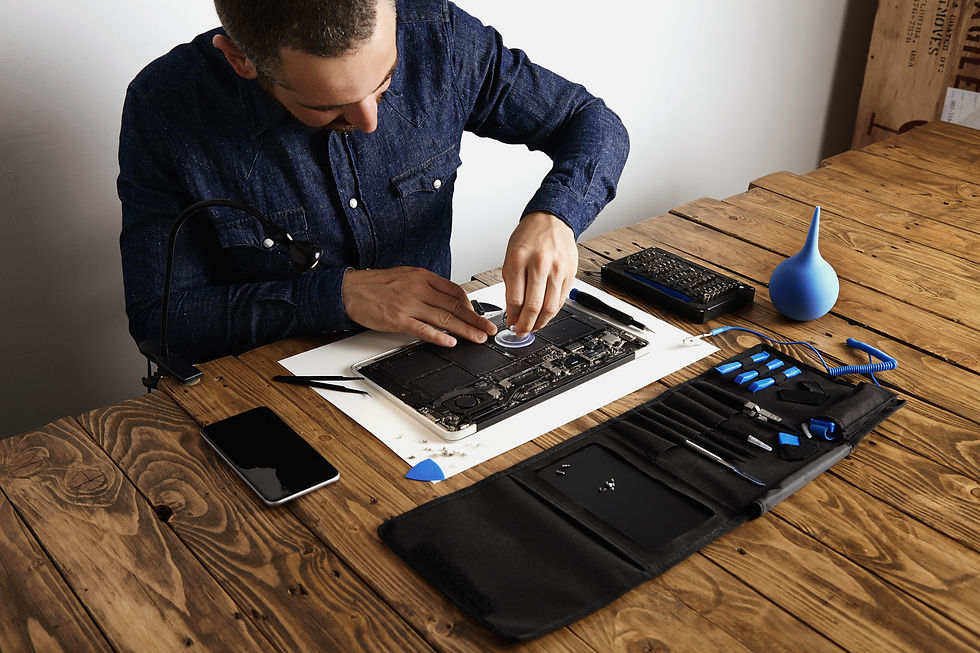
Having your laptop suddenly shut down at twenty percent during an important professional presentation is incredibly frustrating. You rely completely on your device for daily productivity, and constantly searching for an electrical wall outlet disrupts your entire workflow. Knowing exactly when to schedule a proper macbook pro battery replacement is crucial to getting your professional life back on track quickly.
By trusting certified technical experts, you can safely restore the original portability of your premium laptop without ever risking internal logic board damage. Ensuring that your daily digital workflow remains totally uninterrupted is vital for your peace of mind. For dedicated local assistance, YKL Mac Fix offers comprehensive technical solutions that perfectly protect your irreplaceable digital assets while you are travelling or working remotely.
Understanding the Early Warning Signs
Recognising when you actually need a technical intervention can save you from highly unexpected system failures. Your device will often give you subtle hardware warnings before the internal power cell completely dies. Paying close attention to these early physical indicators strongly helps you carefully plan your maintenance schedule.
Common Symptoms of Failing Cells
Most premium devices will clearly communicate when they are physically struggling to keep up with your heavy software demands. Ignoring these obvious technical warnings only forces the delicate internal processors to work under extreme thermal stress. This prolonged physical strain dramatically accelerates the natural degradation of expensive internal electronic components.
Experience sudden power drops during your daily usage
Notice physical swelling pushing against the bottom case
Receive service warnings in your system preference menus
Observe unusually slow application loading speeds
Hear loud cooling fans running constantly
Why Delaying is Dangerous
Ignoring a severely depleted power cell can actively cause severe secondary physical damage to surrounding delicate internal components. Expanded chemical cells exert immense physical pressure on the tight outer aluminium chassis. This intense internal pressure eventually cracks the delicate external glass trackpad if left completely ignored.
Timely professional technical intervention dramatically reduces the overall likelihood of these catastrophic physical failures. By proactively addressing these subtle early power warnings, you maintain a perfectly smooth and reliable computing experience. Professional technical clinics offer comprehensive diagnostic services that accurately identify these exact hidden hardware issues before they escalate into massive problems.
Choosing the Right Service Provider
Finding a trustworthy local technician for your macbook pro battery replacement requires careful consideration of their technical expertise. You want to strongly ensure that whoever opens your expensive device deeply understands modern hardware architecture. Selecting a fully certified specialist strictly guarantees a highly secure and professional device restoration.
What to Look for in a Clinic
Guessing the hidden cause of a complex hardware failure often leads to unnecessary and expensive physical replacements. A trained technical expert meticulously tests individual internal micro circuits to successfully verify exactly which component is failing. This careful technical evaluation safely protects your original financial investment and strictly ensures you only pay for necessary technical interventions.
Verify technical expertise with complex logic board layouts
Confirm the usage of premium quality replacement components
Check for comprehensive post installation testing procedures
The Importance of Specialised Tools
Opening a completely sealed modern thin laptop without destroying the highly sensitive internal ribbon cables demands completely specialised non conductive opening tools. General hand tools found in a standard home garage will almost certainly cause catastrophic aesthetic scratches or severe internal motherboard damage.
Dedicated industry professionals invest heavily in premium microscopic laboratory equipment to successfully navigate incredibly crowded internal logic board layouts safely. They expertly use static safe environments to perfectly protect the sensitive microchips from accidental electrical discharges. Their meticulous approach strongly ensures total hardware safety for all your premium technology.
The Technical Installation Process
Understanding the actual steps highly involved in an internal hardware swap completely demystifies the entire technical restoration process. True hardware professionals strictly follow rigorous industry protocols to safely protect your delicate internal components during the procedure. This highly meticulous approach completely prevents any accidental internal motherboard damage.
Step by Step Hardware Swaps
Swapping out incredibly fragile internal components safely requires an incredibly steady hand and a deeply fundamental technical understanding of modern micro electronics. True hardware professionals never cut corners during the highly complex physical assembly process because they deeply understand exactly how delicate internal electronics truly are. They follow a highly strict sequence to strongly ensure absolute safety.
Disconnect the primary internal power source safely
Remove the degraded chemical power cell carefully
Clean the aluminium housing to remove old adhesive
Install the fresh premium power module securely
Calibrate the new hardware to match system software
Post Installation Quality Checks
The final critical phase of any premium technical service always involves incredibly rigorous system testing to securely ensure total functional stability. Highly trained technicians will continuously run highly demanding stress tests to completely verify that newly installed components can easily handle heavy professional workloads without ever overheating.
For official testing instructions, users can easily consult the official Apple Support service website to thoroughly learn how these internal computing structures actually operate safely. This incredibly vital quality assurance step strictly separates temporary quick fixes from highly permanent professional solutions, ensuring your trusted machine is genuinely ready for daily heavy usage.
Maximising Your New Power Cell
Once your internal power restoration is totally complete, eagerly adopting smart charging habits highly effectively extends its overall useful lifespan. Proper daily care strictly ensures you get the absolute best financial return on your technical maintenance investment. Small daily routine changes can easily yield massive long term hardware benefits.
Best Practices for Daily Charging
Your incredibly thin premium laptop is specifically designed to travel effortlessly with you absolutely everywhere you go. Keeping your internal battery in absolute top physical shape ensures you can safely work effortlessly from any remote location without daily stress. Adopting these highly simple daily habits dramatically improves overall system power efficiency.
Keep the daily charge level between twenty and eighty percent
Avoid exposing the laptop to extreme environmental room heat
Perform regular software updates to highly optimise energy usage
Long Term Digital Mobility
A perfectly healthy internal power cell is absolutely essential for actively maintaining your true daily digital mobility. This incredible power stability allows your main logic processor to consistently run at maximum full clock speeds. Exploring a professional Mac battery replacement perfectly guarantees your trusted machine is thoroughly restored by certified technical experts.
By confidently trusting dedicated local experts, you strongly guarantee your expensive digital equipment perfectly receives the absolute highest level of technical care. Whether you need complex laptop attention or routine iPad repair services, regular technical check ups clearly remain a highly intelligent way to strictly keep your essential equipment running smoothly.
Frequently Asked Questions
Here are highly common questions about macbook pro battery replacement we often receive from our valued customers:
1. What is macbook pro battery replacement and how does it work?
It is a highly specialised technical service explicitly designed to completely resolve severe power degradation issues within premium laptops. The process strictly works by having a fully certified professional thoroughly inspect the intricate internal components. Following a clear technical diagnosis, the technician expertly replaces the completely faulty modules to totally restore full daily portability.
2. How long does the installation process usually take?
Most routine power cell swaps can easily be successfully completed within a few incredibly short working hours by a highly seasoned technical professional. Dedicated technical clinics thoughtfully keep premium quality replacement stock readily available on site. This highly efficient professional process completely ensures you can quickly get back to your busy workflow.
3. Is it safe to use a third party power cable?
It is highly generally safer to strictly use officially certified charging cables to reliably protect your internal logic board from sudden electrical voltage spikes. Cheap unverified cables very often lack the necessary internal safety chips highly required to strictly regulate electrical power flow correctly, which actively risks major hardware failure.
4. Can a swollen cell damage my glass trackpad?
Yes, expanded chemical cells exert immense physical pressure upward against the tight outer aluminium chassis over time. This highly intense internal pressure eventually completely cracks the delicate external glass trackpad entirely if strictly left unaddressed. Seeking professional technical help early actively prevents this highly catastrophic and highly expensive secondary physical damage.
5. Will changing the power module erase my personal data?
No, simply changing the internal power module does not directly interact with your internal digital storage drive. However, professional technical specialists always strongly recommend securing your personal data securely using reliable external hard drives before any complex internal logic board treatments ever begin, strictly guaranteeing total digital peace of mind.
Conclusion
Taking genuinely proper care of your highly expensive premium technology absolutely requires securely knowing exactly when to immediately call in the certified physical hardware experts. Securing a proper macbook pro battery replacement fundamentally completely restores your crucial personal freedom to securely work, smoothly study, and brilliantly create. You can completely confidently travel without the constant looming fear of highly unexpected sudden power loss entirely disrupting your incredibly busy professional day.
A beautifully well maintained daily laptop or premium tablet can very easily continue to properly deliver outstanding highly reliable technical performance for many highly productive years. The incredibly passionate technical team at YKL Mac Fix is completely dedicated to consistently providing an absolutely unmatched superior level of direct customer care and high precision hardware engineering. Your most important daily digital devices strictly deserve the absolute highest possible standard of highly professional daily care to safely keep your busy digital life securely moving forward seamlessly.
Whenever you are genuinely completely ready to highly effectively restore your absolute favourite device to its absolute very peak physical working condition, simply Contact Us today. Our highly friendly dedicated local experts are fully perfectly prepared to completely answer all your deep technical questions and gracefully get your highly trusted working machine safely running perfectly smoothly again without any completely unnecessary technical delay.


Comments