_edited.png)
How much is Mac Screen Repair? Get a Quote Now
- 2 days ago
- 7 min read

Dropping your laptop is a heart-stopping moment for anyone. Seeing a shattered glass display immediately raises concerns about the potential financial cost and unexpected downtime. Finding a reliable mac screen repair is absolutely essential to get your busy routine back on track without completely emptying your wallet. You need a trusted local specialist who deeply understands complex visual hardware architecture and offers swift technical resolutions without ever compromising on premium service quality.
A crystal-clear and fully functioning visual display is completely non-negotiable for your daily workflow. Trusting dedicated technical professionals at YKL Mac Fix strongly ensures your premium equipment receives the highly careful attention it genuinely deserves. We completely understand that a broken digital display severely disrupts your entire professional day, which is exactly why our team strictly prioritises working efficiency and high-precision engineering.
Understanding the Cost of Display Replacement
When evaluating the financial cost of a hardware restoration, several different technical factors come directly into play. The final quoted price heavily depends on your specific device model and the total extent of the physical damage sustained. Understanding these crucial variables safely helps you make an informed technical decision before handing over your valuable computer.
Factors Influencing Hardware Prices
The specific year your premium laptop was initially manufactured significantly affects the general availability and total price of premium replacement parts. Newer computer models built with advanced visual display features generally require more expensive internal components. Additionally, the physical diagonal size of your visual display directly impacts the overall replacement cost. Certified technical experts meticulously evaluate all these variables to accurately provide a transparent service quote.
Assess device model and release year to accurately determine premium parts availability
Evaluate physical display size and specific technical screen resolution requirements
Inspect the total extent of physical impact damage to the surrounding aluminium casing
Why Genuine Visual Quality Matters
Choosing high-quality replacement display parts is absolutely crucial for strictly maintaining the brilliantly vibrant colours and sharp visual contrast you expect from a premium device. Cheaper unverified alternatives might seem appealing initially but often suffer from poor viewing angles and inconsistent brightness levels. Investing deeply in premium visual components securely ensures your daily visual experience remains uncompromised for many years to come.
Signs You Need Professional Display Assistance
Sometimes the physical damage is not an obvious shattered glass panel staring right back at you. You might slowly start noticing highly subtle visual glitches that strongly indicate failing internal logic board components. Recognising these early warning signs safely helps you seek professional intervention before the delicate visual display completely fails.
Identifying Internal Visual Glitches
Beyond obvious physical glass cracks, deep internal hardware issues often visually manifest as strange and highly distracting anomalies. You might clearly see vertical brightly coloured lines running down the display or notice dark shadow patches spreading across the viewing corners. These concerning symptoms usually indicate severe internal pressure damage or a completely failing internal visual connection cable. If you require swift intervention, looking into a dedicated MacBook repair can easily save your screen from worsening.
Displaying flickering horizontal lines completely across the main viewing area
Finding dead pixels that remain permanently black or brightly coloured
Experiencing unusually dim screen backlighting even at maximum brightness settings
Noticing severe colour distortion making creative images appear washed out
Facing a complete screen blackout despite the internal computer being fully powered
The Impact of Severe Physical Pressure
Carrying your incredibly thin laptop in a tightly packed travel backpack can put immense physical pressure directly on the fragile glass panel. Over time, this constant bending physical stress can severely damage the delicate liquid crystal layer hidden inside. It is always best to securely transport your expensive devices in a padded protective sleeve to greatly minimise this physical risk. For official guidelines on assessing physical damage limits, users can safely consult the official Apple Support service website to thoroughly understand baseline hardware expectations.
The Technical Process of Restoring Your Display
Replacing a severely damaged visual display is an incredibly delicate surgical procedure that requires a completely steady hand. Attempting a complex panel swap blindly at home without the correct non-conductive laboratory tools usually safely leads to catastrophic secondary hardware damage. Highly trained professionals strictly follow rigorous industry protocols to safely restore your visual experience.
Safe Hardware Removal and Installation
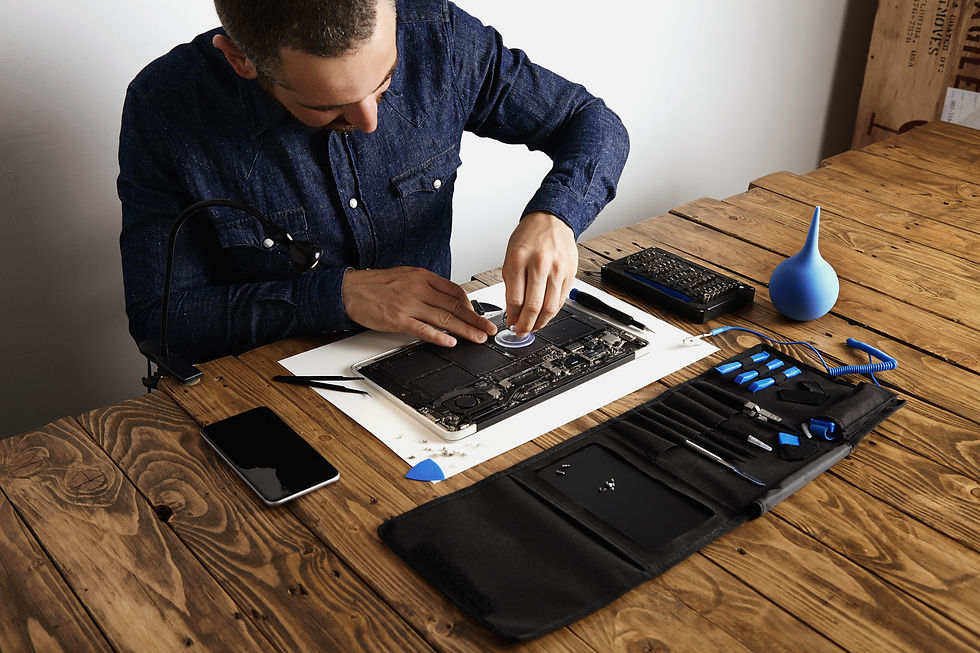
The modern premium laptop assembly is firmly held together by strong sticky adhesives and fragile internal ribbon cables. True technical professionals carefully use specialised non-conductive tools to separate the broken glass without ever scratching the surrounding aluminium metal frame. Once the severely damaged glass panel is safely removed, they meticulously clean the internal aluminium housing thoroughly before securely mounting the brand new premium display assembly.
Post Installation Visual Calibration
A highly successful visual display swap goes far beyond simply plugging in a brand new glass panel. Highly trained technicians must meticulously ensure that the core digital operating system securely communicates perfectly with the newly installed hardware display. They run specific calibration software tools to completely verify that ambient light sensors and true tone colour balancing features operate exactly as intended. This rigorous quality control process guarantees that your new display perfectly delivers the exceptionally sharp and vibrant visuals you rely on for your creative projects.
Protecting Your Data Before Technical Service
Before safely handing over your highly valuable computer for any deep physical maintenance, securely protecting your personal files is an absolute daily necessity. Even though fixing a broken visual display does not directly interact with your internal storage drive, unforeseen technical complications can occasionally arise. Establishing a solid data protection routine safely gives you total peace of mind.
Creating Secure Digital Backups
Using built-in system software tools to correctly create a fully encrypted digital backup is highly recommended before visiting any local technical clinic. Whether you utilise highly reliable external hard drives or seamless digital cloud storage solutions, having a secondary copy of your work documents securely guarantees absolute safety. This vital technical step securely ensures your cherished family photographs and highly sensitive professional business documents remain protected against any unexpected internal hardware disasters.
Maintaining Total Privacy and Security
Reputable technical retail clinics strictly operate under highly stringent daily privacy policies to securely guarantee that your sensitive personal files are never randomly accessed without your direct verbal permission. The very best technical specialists only ever strictly interact with the core digital operating system to confidently verify that the newly installed visual display is functioning perfectly correctly. Furthermore, they will often actively encourage you to securely lock your personal user profiles strictly prior to the hardware service beginning.
Frequently Asked Questions
Here are common questions about display replacements we often receive from our valued local customers:
1. What is mac screen repair and how does it work?
It is a specialised technical service designed strictly to completely resolve severe physical damage or distracting visual glitches on your premium laptop display. The process safely works by having a certified professional carefully remove the broken glass panel and faulty internal display cables. They then seamlessly install a brand new premium display assembly to completely restore your beautifully clear visual experience.
2. Can you fix a display with minor surface scratches?
Minor surface glass scratches usually cannot be safely polished out without completely ruining the special anti-reflective chemical coating on the display glass. If the visual scratches are severely negatively affecting your daily professional work, the entire top display assembly will typically need to be completely replaced. True professionals will accurately assess the physical damage and recommend the most effective long-term solution for your specific device.
3. How long does a display replacement usually take?
Most routine visual display panel swaps can easily be successfully completed within a single working day by a highly seasoned technical professional. Dedicated technical clinics thoughtfully safely keep premium quality replacement stock readily available on site. This highly efficient professional process completely ensures you can very quickly get back to your busy digital professional workflow smoothly.
4. Is it physically safe to use a laptop with a cracked screen?
Continuing to actively use a completely shattered visual display is incredibly risky because tiny sharp glass shards can easily cause serious physical injury to your fingers while typing. Furthermore, severe glass cracks actively dangerously allow environmental moisture and damaging dust to deeply enter the completely delicate internal laptop components. Seeking immediate professional technical help is strongly recommended.
5. Will changing the display affect my device warranty?
Having your expensive computer actively opened by completely uncertified individuals will absolutely securely void any remaining original manufacturer warranty completely. It is incredibly crucial to safely use highly reputable professional clinics that safely offer their own solid guarantees on the newly installed premium replacement parts and the technical labour.
Conclusion
Taking genuinely proper care of your highly expensive premium technology absolutely requires securely safely knowing exactly when to immediately responsibly call in the fully certified physical hardware experts. Finding a dependable local solution for your completely broken visual display fundamentally restores your crucial personal freedom to securely work, smoothly study, and brilliantly actively create. A beautifully thoroughly well-maintained daily laptop or premium iPad can very easily securely continue to properly deliver outstanding visual performance for many highly incredibly productive years.
The incredibly passionate technical team at YKL Mac Fix is completely dedicated to consistently providing an absolutely unmatched superior level of direct customer care and high-precision hardware engineering. Your absolutely most important daily digital devices strictly safely deserve the absolute highest possible standard of highly professional daily care to securely keep your highly busy digital life securely moving forward seamlessly.
Whenever you are genuinely completely ready to highly effectively totally restore your absolute favourite device to its absolute peak optimal working condition, simply Contact Us today. Our friendly dedicated local experts are fully prepared to successfully safely answer all your deep technical questions and gracefully securely get your highly trusted working machine safely running perfectly smoothly again without any completely unnecessary technical delay.


Comments