_edited.png)
5 Common Problems Our Mac Repair Technicians Fix Today
- Mar 9
- 7 min read
Updated: Mar 9
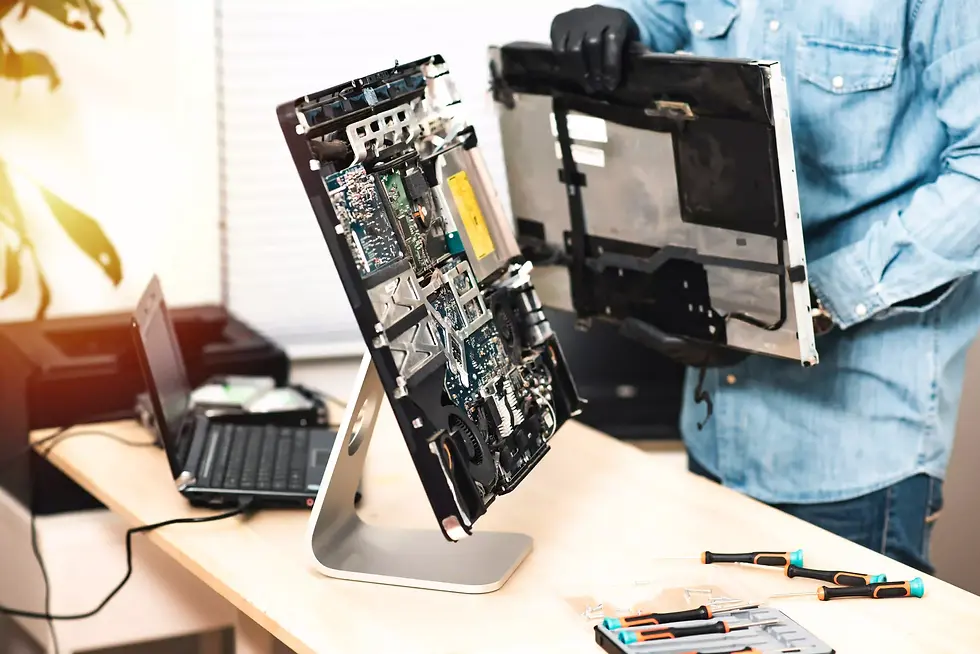
Owning a Mac is often a point of pride because of the sleek design and reliable operating system that Apple provides. However, even the most premium hardware can encounter unexpected glitches or physical damage over time. When your laptop starts behaving strangely, it can disrupt your entire workflow and cause significant stress. Understanding when you need a professional mac repair is the first step toward getting your digital life back on track without losing precious data.
Most users encounter a handful of recurring issues that range from battery degradation to sudden software freezes. While some minor bugs can be solved with a simple restart, many hardware problems require a steady hand and technical knowledge to resolve properly. If you find yourself wondering why your device is lagging, looking into the top 5 common MacBook repair issues in Malaysia can provide clarity on whether your situation is a common occurrence or something more unique.
Addressing these problems early is vital to prevent small faults from snowballing into expensive hardware failures. Expert technicians see these patterns daily and have developed precise methods to restore functionality quickly. By relying on professional expertise At YKL Mac Fix, you ensure that your investment is protected and your machine continues to serve you for years to come.
Battery Drainage and Power Failures
One of the most frequent reasons customers seek out a mac repair involves the battery performance of their portable devices. Over several years of use, the lithium ion cells naturally lose their ability to hold a charge, leading to a laptop that must stay plugged in to function. This issue is not just about convenience; a failing battery can expand and cause physical pressure on the internal components and trackpad.
Identifying the Signs of Battery Decay
It is not always obvious when a battery is reaching the end of its life cycle, as some symptoms can be subtle. You might notice the bottom of your laptop getting unusually hot or the fans spinning at maximum speed even when you are only performing basic tasks.
Check the system report for a service battery warning message.
Monitor if the percentage drops significantly within minutes of unplugging.
Observe any trackpad clicking issues caused by internal battery swelling.
Note if the laptop shuts down unexpectedly at twenty percent power.
Track the total cycle count to see if it exceeds one thousand charges.
Professional Replacement Solutions
Replacing a modern Mac battery is a complex task because they are often glued into the top case with strong industrial adhesives. Attempting to pry these out at home can lead to dangerous punctures or fire hazards. Professional clinics utilize specialised softening agents and tools to safely remove the old cells without damaging the delicate ribbon cables nearby. When users are unsure about the timing of this service, they often ask when should I go for MacBook battery replacement to ensure they are making the right choice for their specific model and usage habits.
Cracked Screens and Display Anomalies
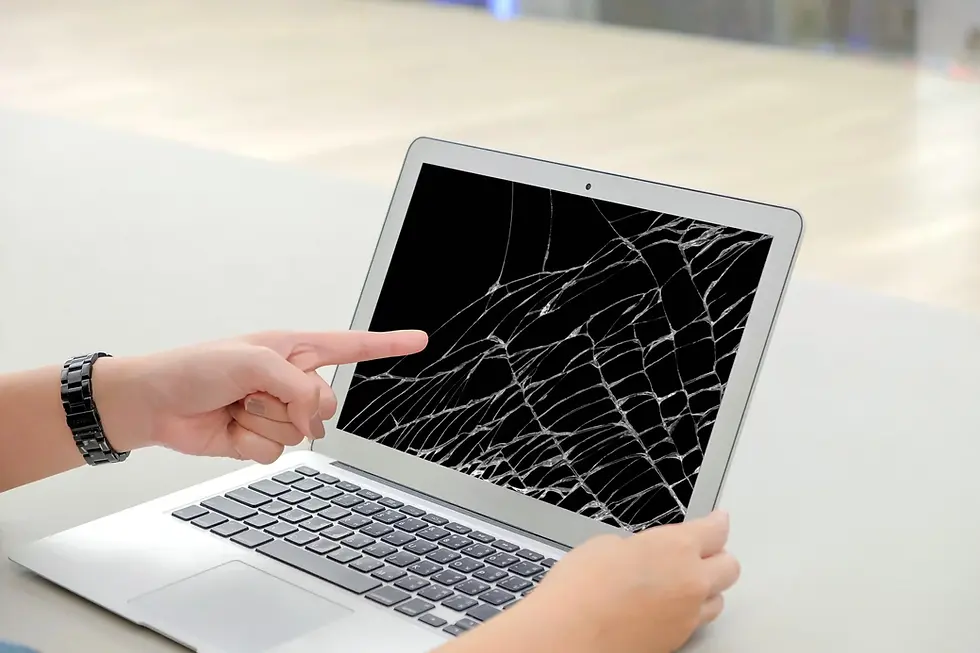
A damaged display is perhaps the most visually distressing issue an owner can face during a mac repair consultation. Whether it is a single hairline crack from a stray pen left on the keyboard or a complete blackout after a drop, screen issues make the device almost impossible to use. Beyond physical cracks, some users experience flickering lines or strange colour shifts that indicate a failing display cable or graphics chip.
Common Causes of Screen Damage
Modern Retina displays are incredibly thin and sensitive to pressure, which means even a small amount of force in the wrong place can cause permanent damage. Understanding the root causes can help you avoid these issues in the future and determine the urgency of your fix.
Placing heavy objects on top of the laptop lid while it is closed.
Closing the lid with debris like crumbs or paperclips on the keyboard.
Using harsh chemical cleaners that strip the anti reflective coating.
Applying excessive pressure when cleaning the screen with a cloth.
Dropping the device on its corner which shocks the glass panel.
Maintaining Visual Integrity
When a screen is replaced, it is essential that the new part matches the original specifications for colour accuracy and brightness. Low quality third party panels often suffer from poor viewing angles and washed out colours, which can be a major disappointment for creative professionals. Experts ensure that the image quality will not be affected after a Mac screen repair by using high grade components that meet the original manufacturing standards. This attention to detail ensures that your visual experience remains as sharp and vibrant as the day you first opened the box.
Liquid Damage and Motherboard Issues
Accidentally spilling coffee or water on your keyboard is a nightmare scenario that requires immediate mac repair intervention. Liquid is a conductor that can cause instant short circuits on the logic board, leading to permanent data loss if not handled correctly. Even if the device seems to work after drying out, internal corrosion can grow over several weeks and eventually cause a total system failure.
Immediate Steps for Liquid Spills
The actions you take in the first few minutes after a spill are critical to the survival of your Mac. While the instinct might be to use a hairdryer or a bag of rice, these methods are often ineffective and can actually push moisture deeper into the internal circuitry.
Power off the device immediately to stop electrical current flow.
Disconnect the charger and any external peripherals or cables.
Flip the laptop upside down into a tent position to drain fluid.
Wipe away visible moisture from the surface with a lint free cloth.
Avoid turning the device back on until a technician has inspected it.
The Process of Logic Board Recovery
Repairing a motherboard that has been exposed to liquid involves a meticulous cleaning process using ultrasonic baths and high purity alcohol. Technicians must inspect the board under a microscope to identify and replace tiny resistors or capacitors that have been burnt out by the spill. This micro soldering work is highly specialised and requires a deep understanding of circuit schematics. Professional services focus on restoring the original board whenever possible, which is significantly more affordable than a total motherboard replacement from the manufacturer.
Keyboard and Trackpad Unresponsiveness
Input issues can turn a productive afternoon into a frustrating struggle, and they are a staple of the mac repair industry. From sticky keys caused by dust to trackpads that refuse to click, these problems usually stem from mechanical wear or environmental factors. In some cases, the issue is not the keyboard itself but a failure in the communication chip that manages input signals to the processor.
Dealing with Sticky and Non Functional Keys
Dust and small particles can easily get trapped under the keycaps, especially on models with very low travel switches. This can cause keys to repeat characters or fail to register a press entirely, making typing a chore.
Use compressed air to blow out debris from under the keys.
Identify if the issue is confined to a single key or a whole row.
Check for software settings that might be affecting keyboard repeat rates.
Avoid using moisture or wet wipes directly on the keyboard surface.
Consider a professional cleaning if the sticking persists after basic care.
Trackpad Sensitivity and Haptic Faults
Modern Mac trackpads use haptic engines rather than physical buttons to simulate a click. If your trackpad feels "mushy" or stops responding to gestures, it could be a software glitch or a sign that the battery underneath is beginning to swell and push against the sensor. Technicians can calibrate the haptic feedback or replace the trackpad module entirely to restore that smooth, glass like navigation experience. According to the official Apple support guide on cleaning your products, using the wrong materials can also damage the protective coating on your trackpad, so following professional advice is always recommended.
Frequently Asked Questions
Here are common questions about mac repair we often receive from our customers in Malaysia:
1. What is mac repair and how does it work?
A professional mac repair is a service where trained technicians diagnose hardware or software faults in Apple computers. The process typically involves a diagnostic check to find the source of the problem, followed by the careful replacement of damaged parts and a final quality control test to ensure the device is running at its full potential.
2. Can I get a mac repair if my device is very old?
Yes, many professional repair centres specialise in vintage and obsolete models that the manufacturer may no longer support. As long as replacement parts are available in the supply chain, technicians can perform upgrades and repairs to keep your older Mac functioning for several more years.
3. How long does a typical mac repair take?
The time frame varies depending on the specific issue, but many common tasks like battery or screen replacements can be completed within the same day. For more complex problems like liquid damage or logic board repair, it may take between three to seven working days to ensure all components are thoroughly cleaned and tested.
4. Is a professional mac repair worth the cost?
Professional repairs are almost always worth the investment compared to buying a new machine. By spending a fraction of the cost of a new laptop, you can resolve specific hardware issues and potentially upgrade your storage or memory, significantly extending the lifespan of your current device.
5. Is it safe to use third party parts for my Mac?
High quality third party parts provided by reputable repair clinics are designed to meet or exceed original specifications. These components offer a reliable and cost effective alternative to official parts, provided they are installed by experienced technicians who understand the nuances of Apple hardware.
Conclusion
Navigating the world of mac repair does not have to be an intimidating experience for the average user. By identifying common problems like battery failure or screen damage early, you can take the necessary steps to restore your device before the situation becomes critical. A well maintained Mac is a powerful asset that can last for many years if it receives the right technical attention when things go wrong.
Relying on professional help ensures that your repairs are performed safely and with the correct tools, preventing the accidental damage that often occurs with DIY attempts. Whether you are dealing with a minor keyboard glitch or a major liquid spill, the goal is always to return your machine to its peak performance with minimal downtime.
If you are experiencing any of the issues mentioned above and want a reliable solution, you can find expert assistance At YKL Mac Fix. Our technicians are ready to provide a detailed assessment and get your device back into perfect shape. To book an appointment or ask a specific question about your machine, please Contact Us and let our team provide the professional care your Mac deserves.


Comments