_edited.png)
How to Get Mac Screen Repair – Quick, Affordable & Reliable
- Feb 18
- 6 min read
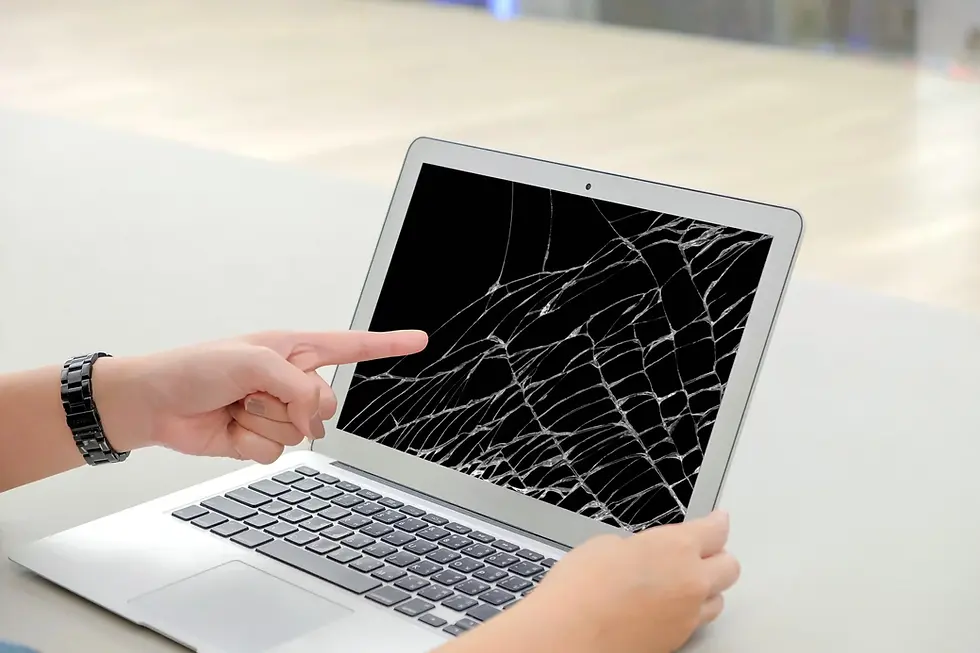
The moment you see a crack spiderwebbing across your glass or a flickering line appearing on your display, a sense of dread usually sets in. Your laptop is more than just a device; it is your gateway to work, creativity, and personal connections. When you face the sudden need for mac screen repair, the primary concerns are usually how much it will cost and how long you will be without your essential tool.
Fortunately, restoring your device to its former glory does not have to be an overwhelming ordeal. By understanding the signs of damage and knowing where to turn for help, you can ensure your display remains vibrant and responsive. At YKL Mac Fix, we understand the urgency of these situations and provide tailored solutions to get you back online as quickly as possible.

Before committing to a fix, it is helpful to understand the nuances of modern displays. Apple devices use sophisticated Retina technology that requires precise handling during any MacBook screen repair process. Choosing a technician who respects these hardware standards is the difference between a seamless visual experience and a subpar replacement that lacks brightness or colour accuracy.
Identifying the Signs You Need Mac Screen Repair
Recognising the early symptoms of a failing display can prevent further internal damage to your laptop. While a shattered glass panel is an obvious reason to seek mac screen repair, other subtle indicators often go ignored until the device becomes unusable. Identifying these issues early allows you to plan for a fix before a total black out occurs during an important deadline.
Common Visual Distortions
Many users notice strange visual artifacts before the screen fails completely. These issues are often related to the delicate flex cables or the LCD panel itself.
Vertical or horizontal lines appearing in different colours.
Stained or "ink leak" patterns spreading across the corners.
Flickering images when the lid is adjusted at certain angles.
Dim backlighting that makes the content nearly impossible to see.
Dead pixels that appear as tiny black or white dots on the glass.
Physical and Structural Damage
Physical impact is the leading cause of display issues, but environmental factors play a role too. If you notice the casing around the bezel is warping or the glass is beginning to lift, it is time for a professional assessment. Professional clinics like YKL Gadget Repair offer comprehensive diagnostics to check if the issue is purely aesthetic or if the underlying hardware is at risk.
Choosing Between Component Replacement and Full Assembly
When exploring options for mac screen repair, you will likely encounter different price points based on the method used. The choice usually depends on whether only the top glass is damaged or if the entire upper casing needs to be swapped out. Understanding these technical differences helps you make an informed decision that balances your budget with the longevity of the device.
Understanding the Full Assembly Method
A full assembly replacement involves swapping the entire top half of the laptop, including the aluminum lid, the webcam, and the LCD panel.
Ensures perfect factory calibration for colour and brightness levels.
Replaces the webcam and ambient light sensors simultaneously.
Provides a brand new outer shell free from dents or scratches.
Reduces the risk of dust particles getting trapped behind the glass.
Offers the fastest turnaround time for urgent repair needs.
Component Level Glass Replacement
In some specific older models, it is possible to replace just the glass or the LCD panel while keeping the original outer shell. While this is often more affordable, it requires a highly controlled environment to prevent debris from entering the display layers. You can learn more about how quality is maintained during this process by reading about if image quality will be affected after the service is completed.
The Importance of Professional Calibration and Parts
Attempting a DIY fix for mac screen repair is increasingly difficult due to the proprietary screws and fragile connectors used in modern builds. Professional technicians use specialised tools to ensure that the True Tone and Auto Brightness features continue to function after the hardware change. Using high quality parts ensures that your Retina display maintains the high contrast ratios and wide colour gamuts that you expect from an Apple product.
Why Quality Parts Matter
Using generic or low grade panels can lead to significant frustration down the line. Inferior screens often suffer from lower peak brightness and poor viewing angles, which can cause eye strain during long working hours. According to official Apple Support documentation, using genuine or high quality equivalent parts is vital for maintaining the integrated system integrity of your device.
Precision Installation Techniques
The assembly of a modern laptop is a marvel of engineering where every millimetre of space is utilised.
Use of anti static mats to protect the logic board during the repair.
Precise torque application on hinges to ensure smooth lid movement.
Proper routing of the Wi-Fi and Bluetooth antennas located in the clutch cover.
Cleaning of internal fans while the device is opened for the display fix.
Testing of the FaceTime camera and microphone array post installation.
Frequently Asked Questions
Here are common questions about mac screen repair we often receive from users looking to restore their devices:
1. How long does a mac screen repair typically take?
A standard display replacement can often be completed within the same day or up to 48 hours depending on part availability. At YKL Mac Fix, we prioritise efficiency so that students and professionals can return to their routines with minimal disruption. Having the right tools and parts on hand allows for a much faster transition than waiting for overseas shipping.
2. Is it worth repairing an older Mac screen?
If the rest of your hardware, such as the processor and RAM, still meets your daily needs, repairing the screen is a highly cost effective alternative to buying a new machine. It is often much cheaper to invest in a quality display fix than to migrate all your data to a new system. Many users find that a fresh screen makes their older device feel brand new again.
3. Will my data be safe during the repair?
While a display fix focuses on the hardware of the lid, professional technicians always take precautions to protect your data. It is always a good practice to have a Time Machine backup, but generally, the storage drive remains untouched during this specific hardware service. Reliable shops will ensure your privacy is respected throughout the entire technical process.
4. Can a cracked screen cause other hardware issues?
Yes, a cracked display can eventually lead to further complications if left unaddressed. Shards of glass can fall into the keyboard assembly, or moisture can enter through the cracks and cause corrosion on the internal logic board. Addressing the problem early through a professional service helps avoid the need for more expensive interventions like motherboard repairs later on.
5. How can I tell if the problem is the screen or the graphics card?
If you plug your laptop into an external monitor and the image appears perfectly there, the issue is almost certainly with your built in display. However, if the external monitor also shows lines or glitches, the problem might lie with the graphics chip on the motherboard. A diagnostic check at a professional centre can quickly clarify which component requires attention.
Conclusion
Dealing with a broken display is undoubtedly stressful, but securing a professional mac screen repair is the best way to protect your investment. By choosing a service that uses high quality parts and experienced technicians, you ensure that your device continues to perform at its peak for years to come. A clear, bright screen is essential for both productivity and enjoyment, making it a vital component to keep in top condition.
Whether you are dealing with a small hairline crack or a completely unresponsive panel, taking action quickly prevents secondary issues from developing. High quality repairs provide peace of mind and restore the premium feel of your laptop without the massive price tag of a total replacement. At YKL Mac Fix, we are dedicated to providing the technical expertise and care your Apple devices deserve.
If you are ready to restore your view and get back to work, we are here to help you through every step of the process. For more information on our specific services or to book a diagnostic appointment, feel free to Contact Us today and our team will be happy to assist you.


Comments